aiprocess.design Open the studio

Comparison

aiprocess.design vs Lucidchart, honestly

Lucidchart is a mature, professional diagramming suite, and Lucid AI genuinely speeds it up: type a prompt, get an editable flowchart, ERD or mind map; even recreate a diagram from an image. If you need diagrams in general, it is a strong choice. The question this page answers is narrower: what changes when the diagram you need is a business process where AI agents will execute steps?

The difference in one sentence

Lucidchart draws what you describe; aiprocess.design models what you decide. When each step carries an executor, an autonomy level, a risk score and a cost, the design can be verified, priced and turned into an implementation plan, not just shared.
Lucidchart aiprocess.design
Core purpose Professional diagramming: flowcharts, BPMN, ERD, org charts, cloud architecture Design studio for AI-era business processes
AI generation Diagrams from text prompts, recreate a diagram from an image, iterate by prompt Complete as-is + agentic to-be with per-step allocation reasoning, or an interview that builds the brief
Notation Standard shape libraries including BPMN A deliberately simple visual language: steps, gates, controls, systems, data in executor lanes
Agent properties Not modelled Autonomy, capability, risk matrix, model choice per agent
Governance Not built in Automated 11-rule check with one-click fixes; supervising controls; human gates
Economics Not built in Business case in euros from live AI model prices, payback and ROI
Implementation Not built in Per-step SOP-grade blueprints and a delivery board with owners and due dates
Integrations Broad suite integrations (e.g. attach diagrams to Jira tasks) Focused: share links, PDF export, JSON import/export

Lucidchart capabilities as described on lucid.co (Lucid AI diagram generation, BPMN support, suite integrations), August 2026. Lucidchart is a trademark of its owner; this is an independent comparison.

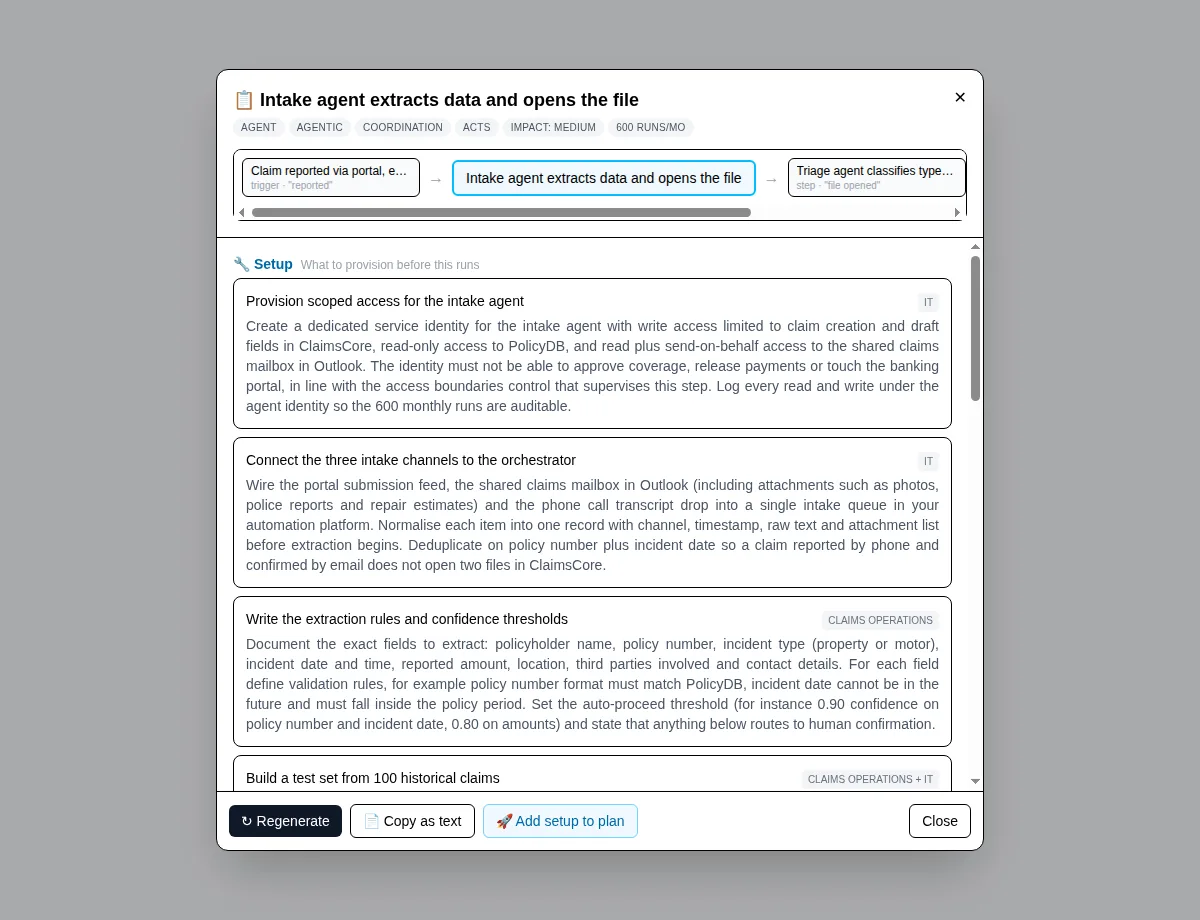
a per-step implementation blueprint generated from the process model
Past the diagram: each step opens into a generated, build-ready blueprint.

Frequently asked questions

Lucidchart already generates diagrams with AI. Why would I need this?

Lucid AI is good at what it promises: turning a text prompt into an editable diagram, including flowcharts and BPMN. What it does not attempt is modelling AI agents as executors with autonomy, risk and cost, so it cannot check governance or compute the economics of an agentic redesign. Different job.

We are a BPMN shop. Is leaving BPMN a downgrade?

BPMN is excellent for precise specification between analysts, and Lucidchart supports it well. But BPMN has no vocabulary for agent autonomy or AI supervision, and non-specialists struggle to read it in a workshop. If the room includes executives and domain experts deciding what AI should do, a simpler executor-first language usually gets to a signed decision faster.

When is Lucidchart the better pick?

General diagramming across the organisation: technical architecture, org charts, ERDs, standards-compliant BPMN documentation, and diagrams embedded in a broader suite of docs and boards. If the deliverable is one of those, use Lucidchart. If it is an AI-era process redesign with governance and a business case, that is this studio's single job.

Model one process instead of drawing it

The studio is in private preview. Open it to request access, or walk through a real, read-only example first.